🏛️ Clan commands
Use the clan commands in Discord to inspect a clan's profile, members, and recorded statistics. Each command below requires a clan; select one by name or tag. Optional inputs depend on the command, and some reports offer additional menus or refresh buttons below the result.
The images are older examples. The current layout, values, and controls may differ.
Clan overview
Use /clan search to view a clan profile. Optionally choose type: Detailed (default), Basic, or Minimalistic.
View older example
 (1)-75c190ca4961a4993d1ffdcbb44f5ad2.png)
Activity
Use /clan activity to see recorded activity for current clan members. Optionally choose season (YYYY-MM), limit, sort_by, and sort_order. Last-online sorting is available for the current season. The older example includes a graph that is no longer part of this report; use Graphs for charts.
View older example
 (1)-09983466d456d23be427ee38bb72585c.png)
Donations
Use /clan donations to view donated and received troops. Optionally choose a season (YYYY-MM), current_members, and limit. Use the result controls to change the sorting.
View older example
 (1)-56626944b249676f45d5f445915518c0.png)
Clan Games
Use /clan games to view current Clan Games points for clan members. The optional limit controls how many players are shown. The older example may show fields that differ from the current report.
View older example
 (1)-577204d9e1df1079ebb2265832866b3e.png)
Clan Capital
Use /clan capital to view raid weekend information. Optionally select weekend using a Friday date (YYYY-MM-DD); the latest weekend is used by default. Use the result menu to view the overview, raiders, or recorded donations.
View older example
 (1)-ef2069a208165559b4b24d7c1ad43692.png)
 (1)-823a3e409fdb1f4a6b4d588f632bacc5.png)
Clan composition
Use /clan compo to group current clan members by Town Hall, clan role, or ranked league. Choose the grouping in the result menu.
View older example
 (1)-a8d257a3d278e6b3169e5211bfa8d69d.png)
 (1)-c7ea9bfce555c6ea9d7a9cb75d5fc232.png)
 (1)-714651328c5c7048c204ac8f6c862f10.png)
Sorted members
Use /clan sorted to rank current members by a statistic. Optionally set limit, then use the result controls to choose the statistic. For example, compare members by Town Hall or war stars.
Upgrade progress
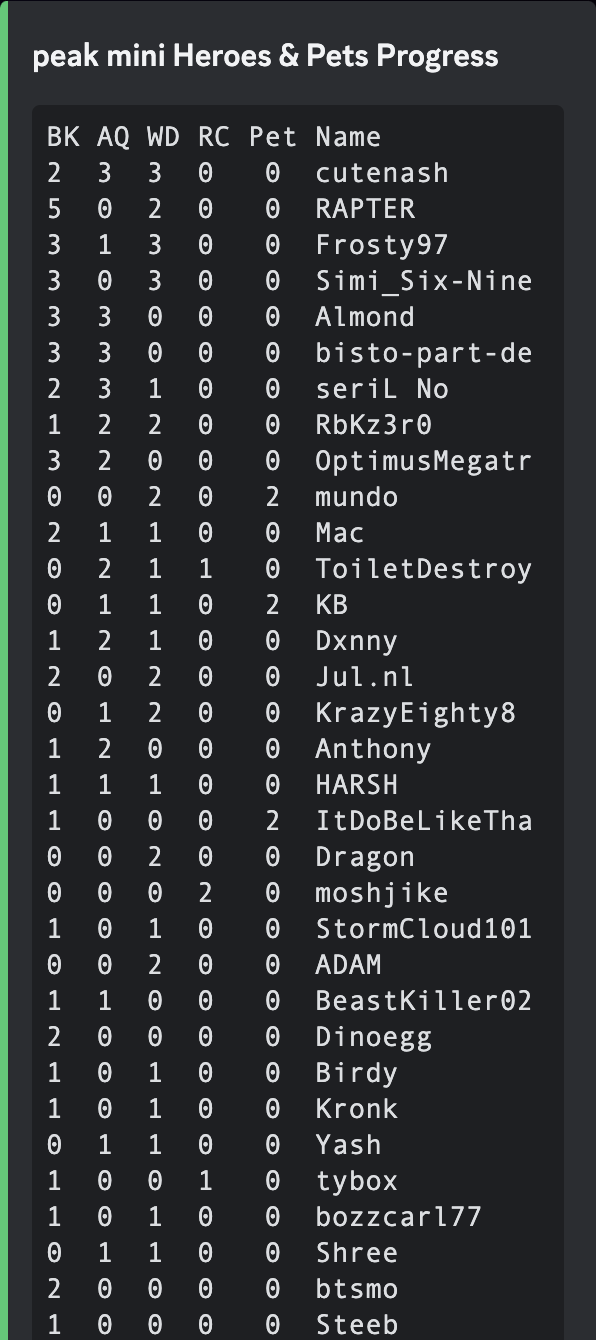
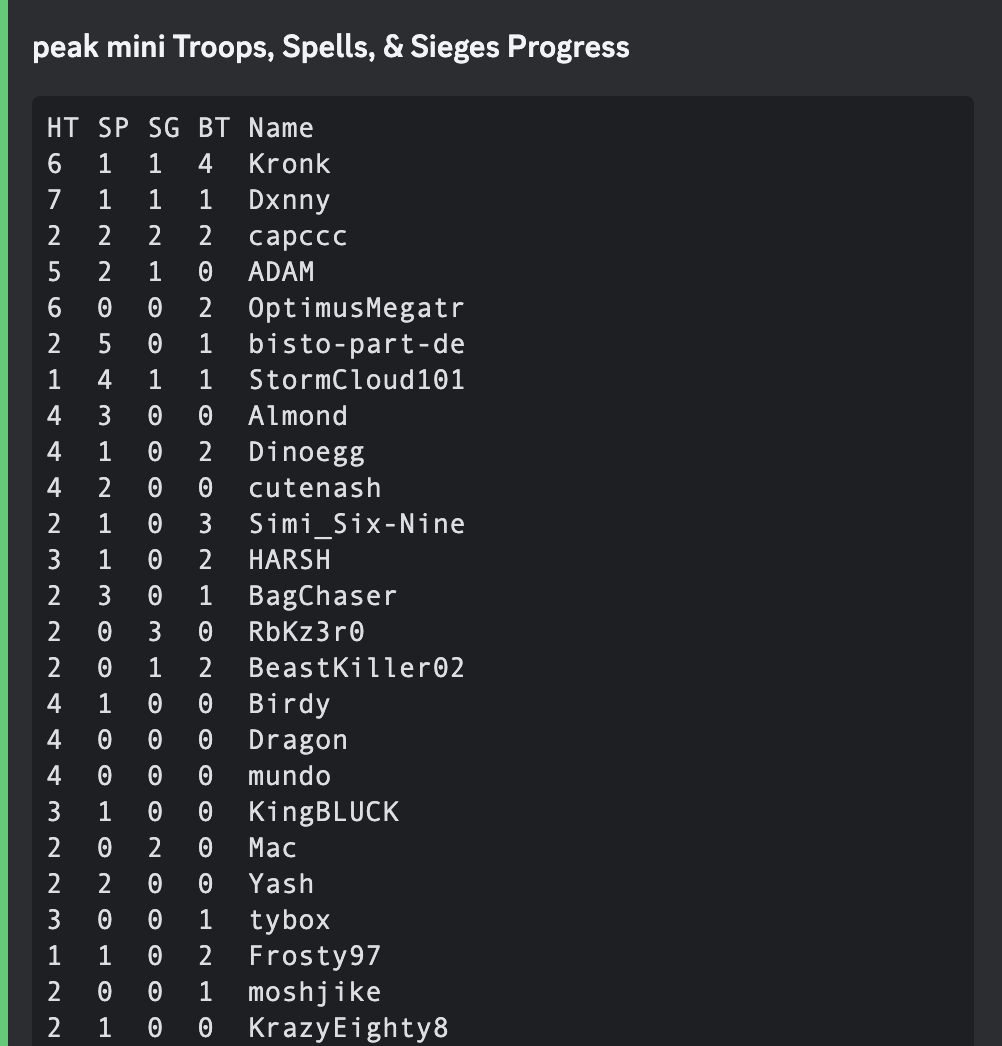
Use /clan progress to see recorded unit upgrade changes for current members. Optionally specify a season (YYYY-MM); without it, the report uses the last 30 days. Choose the upgrade type in the result menu. The older examples show previous layouts.
View older example
Season summary
Use /clan summary to see season leaderboards for current members. Optionally set season (YYYY-MM) and limit.
View older example
 (1)-2224946a1a3d6f16b0d98d8d6855355a.png)
War history
Use /clan war-log to see war history or CWL season history. Optionally choose view and limit. A private war log or missing recorded data can limit the results.
View older example
 (1)-8403f21064f2fe238fb78209b66c2e01.png)
War preferences
Use /war preference to see a clan’s opted-in and opted-out members. See War & CWL for this and other war commands.
View older example
 (1)-5045cef5015d69e8ebe01b0019e1f30f.png)