👩👩👧👦 Family commands
Use family commands in your Discord server to view information across the clans added to that server. Add your clans in the dashboard first. Options vary by command; some results also have menus and refresh buttons.
The images are older examples. Current layouts, data, and controls may differ.
Family clans
Use /family clans to browse the family clan directory. Use the result menu to group clans by category, CWL league, Capital league, or location, or show the overview.
View older example
-cd10638456321b222c7cd1283961d32f.png)
Activity
Use /family activity for recorded player activity and clan totals. Optionally choose season (YYYY-MM), limit, sort_by, and sort_order. Last-online sorting is available for the current season. The older example includes a graph that is no longer attached to this report; use Graphs for charts.
View older example
 (1)-dbda62739ca760aab2c03d9fb35cdf7d.png)
Donations
Use /family donations to see player contributions and clan totals. Optionally choose season (YYYY-MM), limit, sort_by, and current_members. The older example contains a graph that is not part of the current report.
View older example
-e930be955d8739e49c0d42761accae5b.png)
Clan Games
Use /family games to see current Clan Games points for family players and linked clan totals. Optionally choose limit. The older example may show fields that differ from the current report.
View older example
-bac5ece529a44422189b40574ede3319.png)
Ongoing wars and raids
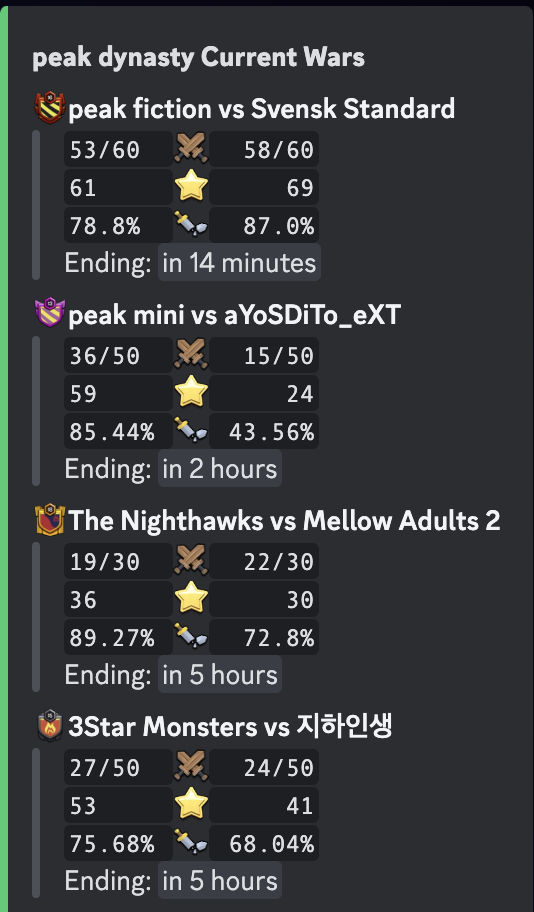
Use /family ongoing and choose the required type: Wars or Raids. The report shows current activity across linked clans; private war logs or unavailable data can limit the results.
View older example
-1d68bc1ba4e8d8deecaf398f0d6c471e.png)
Upgrade progress
Use /family progress to see recorded unit upgrades for current family members. Optionally choose a season (YYYY-MM); without one, the report covers the last 30 days. Choose the upgrade type in the result menu.
View older example
-42bfa4862afbf77ebbbc7dc98df142e1.png)
-f4e468a1228b9a4d84e4989f254a644a.png)
Family composition
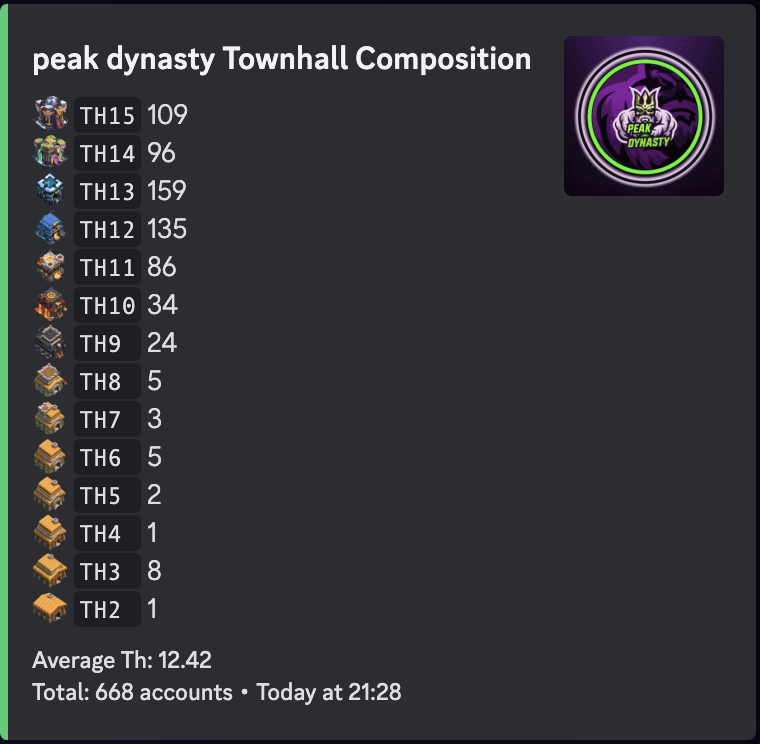
Use /family compo to group current family members by Town Hall, clan role, ranked league, or public ranking location. Choose the grouping in the result menu.
View older example
Sorted members
Use /family sorted to rank current family members by a statistic. Optionally set limit and choose the statistic in the result menu. For example, compare Town Hall levels or war stars.
Season summary
Use /family summary and select the required type: Player or Clan. Optionally choose season (YYYY-MM) and limit. Player summaries rank current members; clan summaries compare family clans.
View older example
-19b9b55ffa9da386aa351265c507b79f.png)
-4251444d095c330058c536559b22b4d3.png)